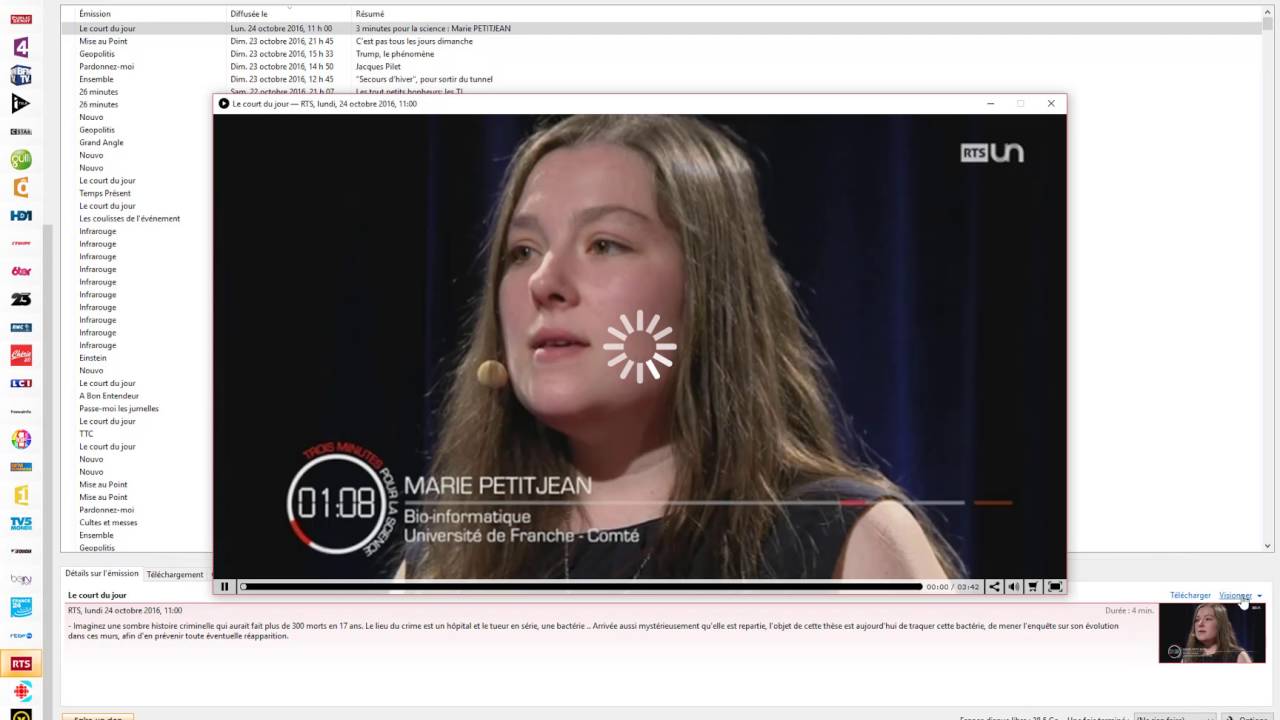
Thanks to the continuous evolution of information and communication technologies, you can now watch your favorite TV channels from a computer or any internet-connected device. Thus, Captvty is one of the most used software in France; this platform allows you to watch your TV programs via streaming or replay. Indeed, the application brings together various sites that offer free broadcasting of television channels on the internet. Once your programs are downloaded, you can watch the shows later with VLC. A little spotlight on “Captvty”.
Some recommendations for watching on “Captvty”
Unfortunately, streaming is not always a practical solution. Indeed, you need to have a good internet connection and some time to let the video load for playback. Therefore, downloading is the best option available to you. The software Captvty is easy to use. To watch your TV channel via streaming, you need to right-click on the channel in question, located in the left column. After that, you should click on “Watch live“. To watch your favorite show later, you will select a channel from the left sidebar, or you choose the show you would like to watch or download.
You may also like : How to Spy on an iPhone?
However, if you want to download a show on Captvty, you will have the option to choose between two quality formats. These are (high definition and standard quality). Generally, shows are uploaded automatically (a few hours after their broadcast on the official television channel). The shows will be available on the platform for a predetermined period set by the concerned channel (about 7 days). When downloading, it is possible to watch a show by double-clicking on its title. If you don’t want to miss your favorite programs, you can now download them. Thus, your shows will be accessible even when they are removed from the platform.
How to install Captvty?
To download the application, go to the dedicated official site. From there, you must follow the instructions to complete the installation of “Captvty” on your computer. However, you have the option to download the software automatically through specific steps. It is strongly recommended to visit the official page of “Captvty” to avoid exposing your computer to dubious or fraudulent sites. This ensures that your download is safe.
Read also : How to smoke a puff?
Once launched, your completed download will appear as a zipped file. You can locate your file in your hard drive folder. After locating your download, you will need to “unzip and run it” to be able to use it. Now all you have to do is start your download.
New version of the software: what’s new?
The software underwent a significant change following the discontinuation of Adobe Flash Player on December 31, 2020. Thus, a new element of the player has been integrated and implemented, which is the “HTML5” version. Indeed, it is not compatible with Windows XP, Linux, or Mac OS X; moreover, it may prevent the playback of certain multimedia content.